This happens when public course visibility is still enabled at the portal level, even if individual courses are set to Restricted.
Correct fix
Go to:
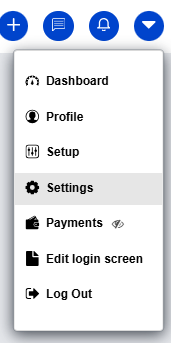
Profile Icon → Settings
- Scroll down to Miscellaneous Settings
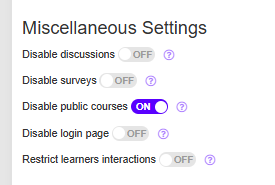
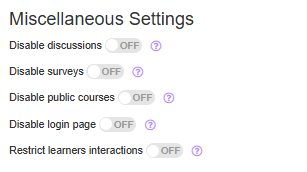
- Toggle Disable Public Courses → OFF
Was this article helpful?
That’s Great!
Thank you for your feedback
Sorry! We couldn't be helpful
Thank you for your feedback
Feedback sent
We appreciate your effort and will try to fix the article