You can share your course in multiple ways depending on your audience.
Coursebox allows you to export your course content as a PDF or HTML file, making it easy to share, print, or store offline copies of your training materials.
On any course, navigate to the publish settings and then click share, from the screen below, select download and the options for PDF or HTML will come up.
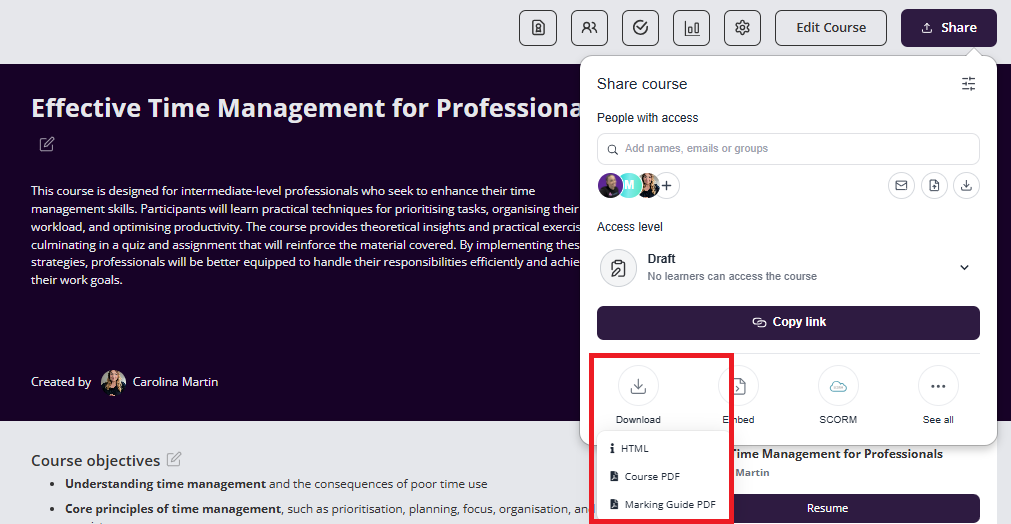
The PDF and HTML backups include the written course structure and content, including learning text, quizzes and assignments. It excludes interactions (eg accordions, SCORM embeds etc), audio recordings, video recordings and images. These items may be saved at the course page level in most cases.
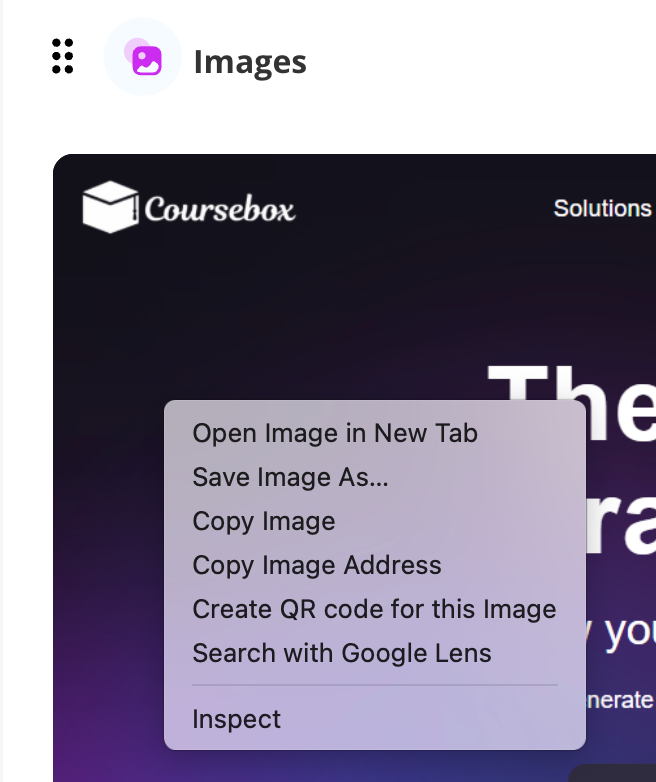
FAQ: How to save an image in edit mode on a course page
FAQ: Will this feature be enhanced in 2026?
Yes, we intend to make this export feature more powerful in the future.
For full course exports, this is possible via SCORM wrapper and integrations into third party LMSes.
For more information on Exporting a course go to: Course Publishing & Exporting
Was this article helpful?
That’s Great!
Thank you for your feedback
Sorry! We couldn't be helpful
Thank you for your feedback
Feedback sent
We appreciate your effort and will try to fix the article