Coursebox offers two recommended methods for translating an existing course. The best option depends on whether you want to preserve the original course structure or rebuild the course in the new language.
Option 1: Duplicate the course and translate page by page (Recommended)
This option is best if you want to keep the same course structure, lessons, and assessments.
Steps:
Duplicate the existing course.
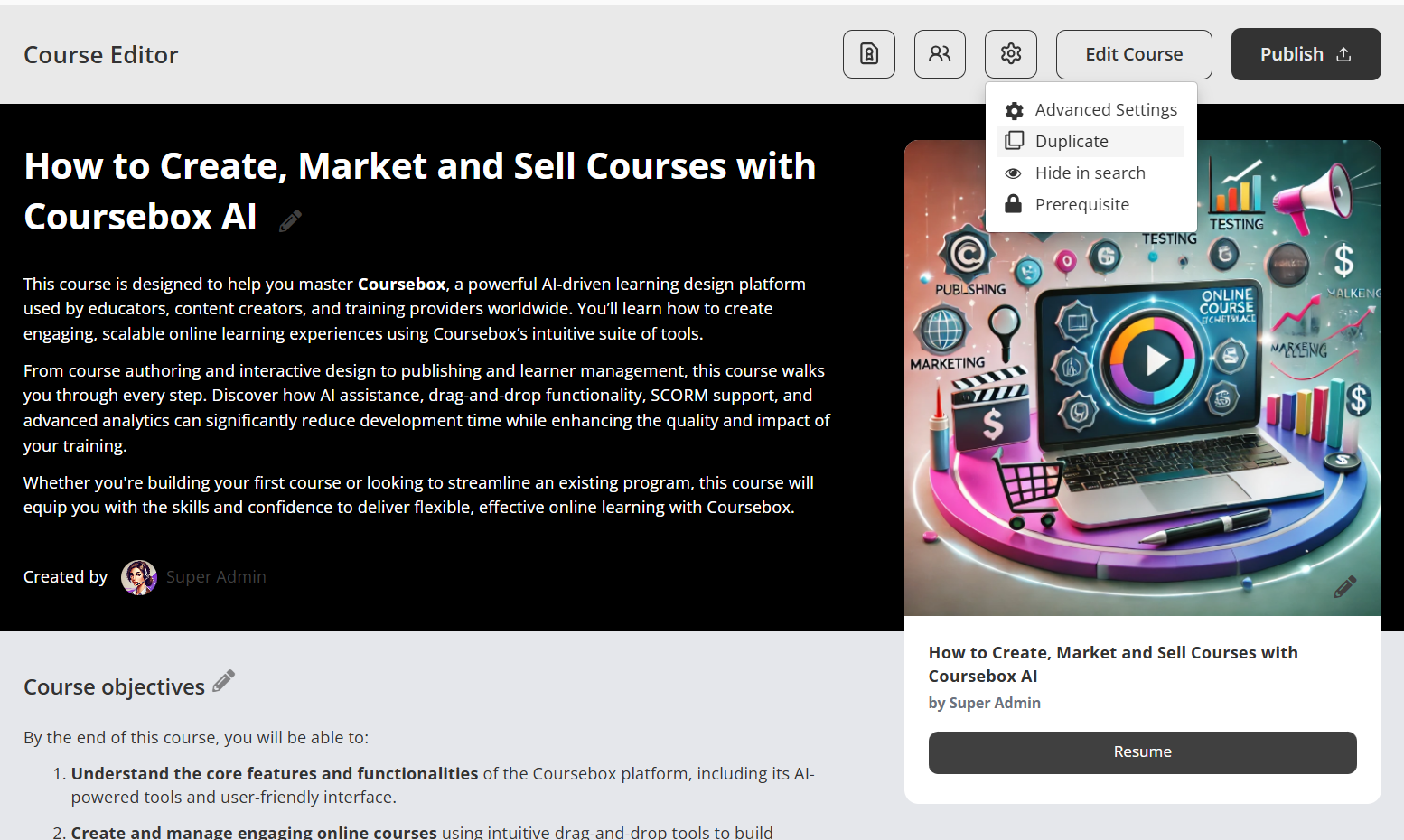
Open the duplicated course.
On each page, click
AI Writer.
Select Translate and choose the target language (e.g. Finnish).
Review and save the translated content.
Repeat for each lesson or page.
Important:
Translation is applied per page, not automatically to the entire course at once. This allows you to review and refine each translation for accuracy.
Option 2: Export and rebuild the course in a new language
This option is best if you want to fully regenerate the course in another language.
Steps:
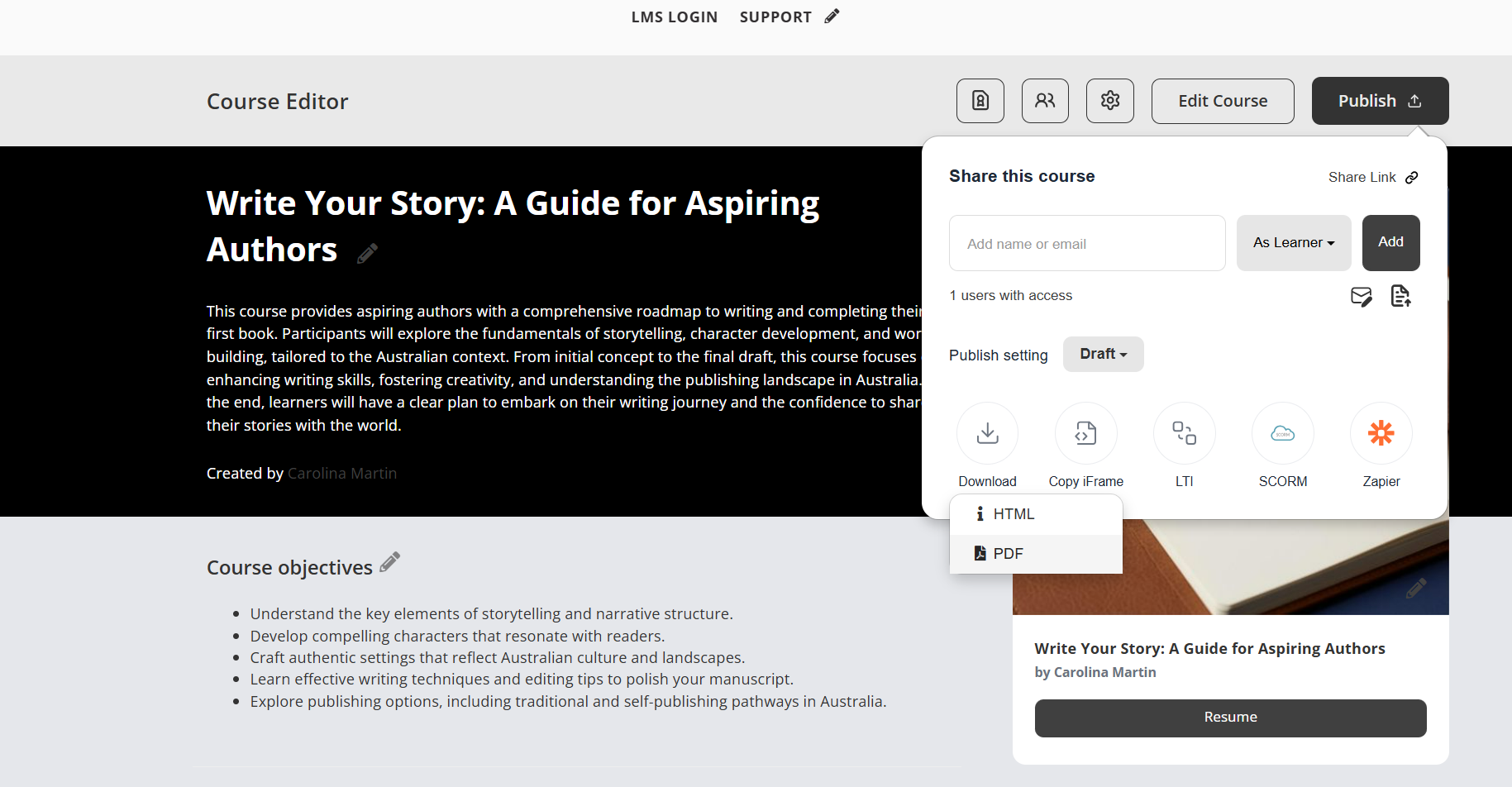
Export the original course as a PDF.
Create a new course in Coursebox.
Select Create course using AI.
Upload the exported PDF.
Choose the target language during course creation.
Adjust the course settings and generate the new course.
Was this article helpful?
That’s Great!
Thank you for your feedback
Sorry! We couldn't be helpful
Thank you for your feedback
Feedback sent
We appreciate your effort and will try to fix the article