Yes. With AI Quiz Writer, you can auto-generate assessments tailored to your course content. Just describe the topic, and the system will create questions or written prompts. You can set pass grades, allow retries, and use rubrics for marking.
Quizzes
To assess learner understanding and reinforce key concepts, you can add a Quiz to your course. Click Add Item and select Quiz from the dropdown menu. Quizzes can include various question types and are a great way to check knowledge, provide feedback, and keep learners actively engaged throughout the course.
The steps are:
Click on Assessments and select Quiz from the bottom navigation.
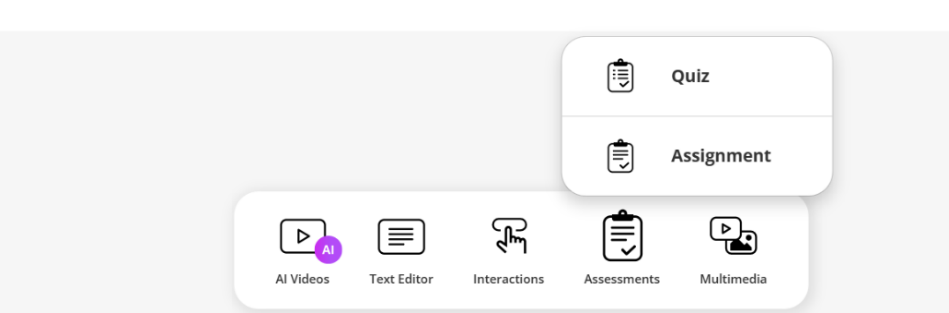
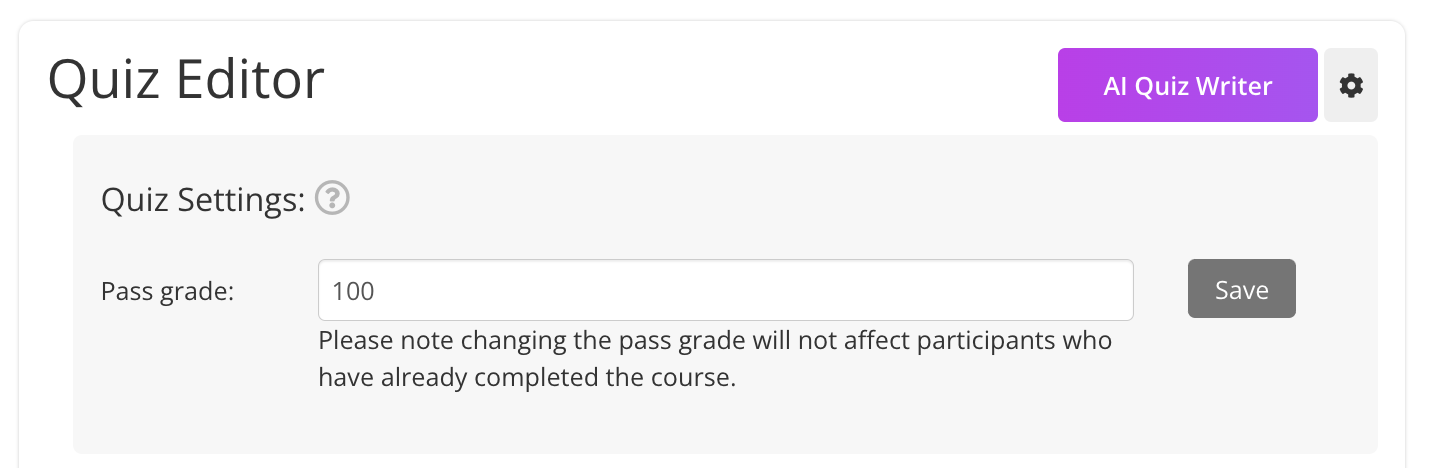
Once the quiz is added to your course, you can customise it either manually or using the AI Quiz Writer.
Click the AI Quiz Writer button to create quizzes using AI
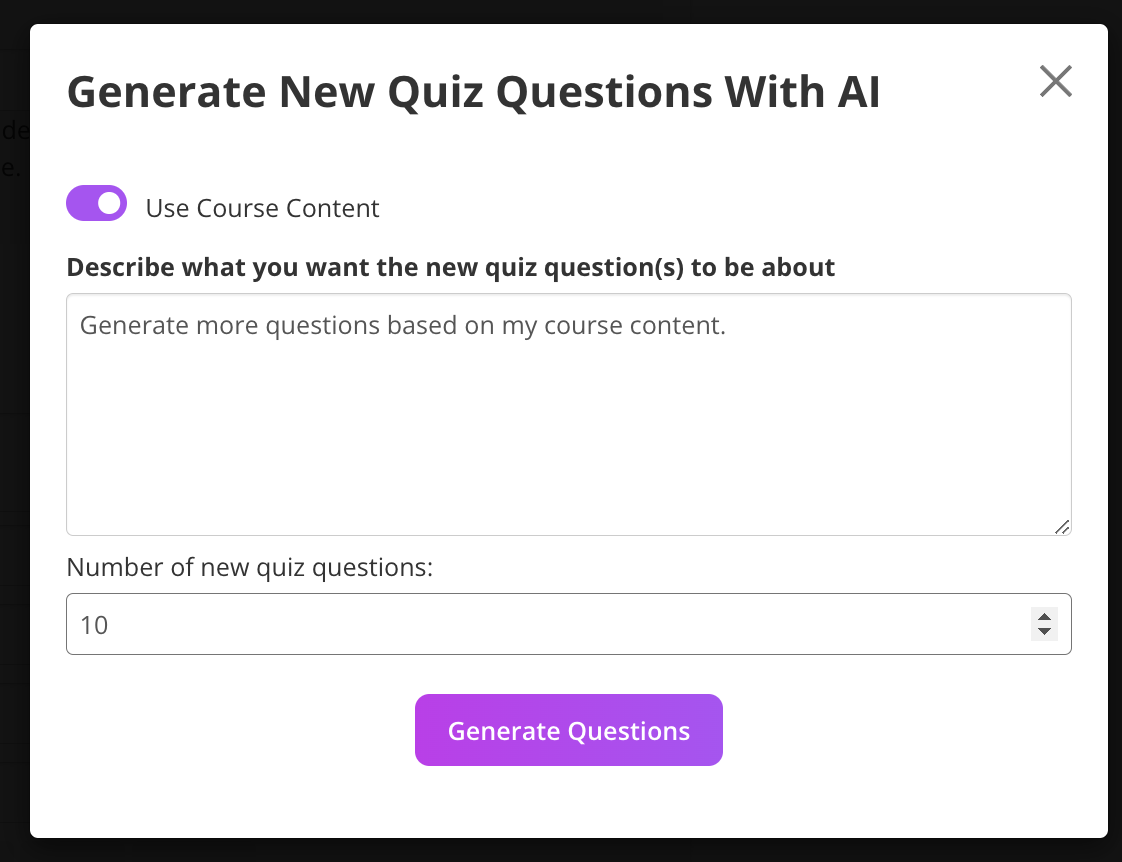
Follow the prompts and Generate Questions
For more information on Generating Quizzes go to: Quizzes & Assignments
Was this article helpful?
That’s Great!
Thank you for your feedback
Sorry! We couldn't be helpful
Thank you for your feedback
Feedback sent
We appreciate your effort and will try to fix the article