For Business & Enterprise Accounts only. To upgrade your account go to: https://www.coursebox.ai/pricingAs a Super Admin, you can manually regenerate a learner’s course completion from their Reports tab. This is helpful when a certificate wasn't triggered due to system issues or incomplete tracking.
Here’s how to do it:
Go to the learner’s profile.
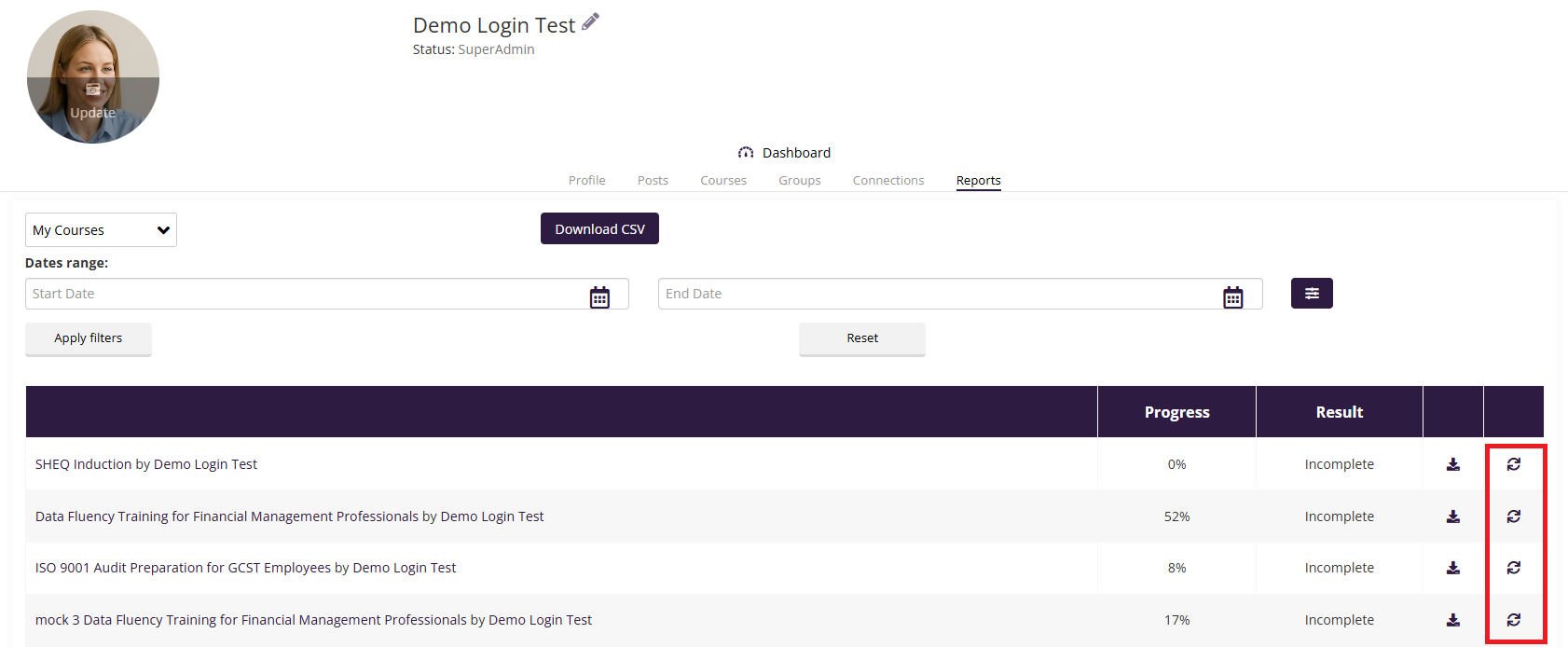
Select the Reports tab.
Locate the course you want to regenerate.
Click the circular arrow icon next to the course under the Result column.
This action will update the course completion status and trigger the corresponding certificate to be issued.
For more information on Certificates go to: Certificate Management
Was this article helpful?
That’s Great!
Thank you for your feedback
Sorry! We couldn't be helpful
Thank you for your feedback
Feedback sent
We appreciate your effort and will try to fix the article