Sell your online courses effortlessly with the Coursebox app. This integration lets you list your existing Coursebox courses on your store and automatically enroll buyers into your Coursebox courses upon purchase. Streamline your eLearning business by managing course sales directly from store while leveraging Coursebox’s powerful AI-driven course creation and management features.
Save time, reduce manual admin work, and deliver a seamless learning experience to your customers.
- Sell Courses on Store
- Automatic Student Enrollment
- AI-Powered Course Creation & training platform
- Customizable Course Listings
- Seamless Integration & Easy Setup
Watch the video below, or explore more tutorials in our Demonstration Video Library.
The steps are:
1. Install the Coursebox App on Shopify
- Navigate to the Coursebox app on the Shopify App Store.
- Click Install to add the app to your Shopify store.
- Authorize the necessary permissions to allow Coursebox to integrate with your store.
2. Connect Your Coursebox Account
- After installation, open the Coursebox app within your Shopify admin dashboard.
- Log in to your Coursebox account to establish the connection between Shopify and Coursebox.
3. Import Courses into Shopify
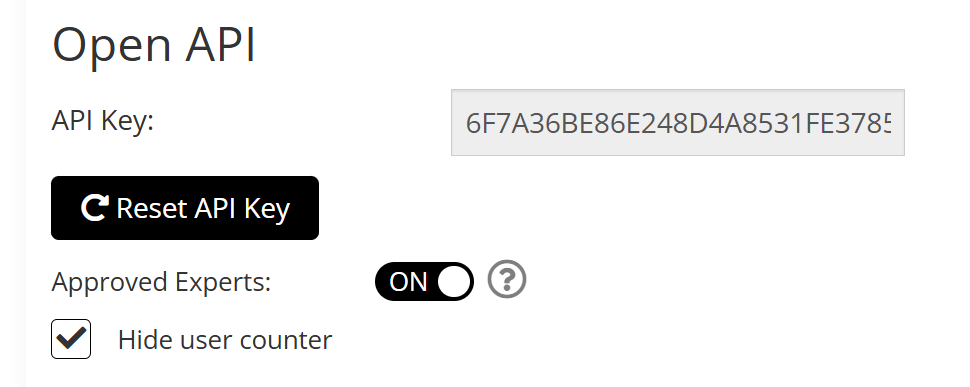
- In Coursebox go to your course settings and scroll down to Open API and Click Reset to reset the Key you will need.
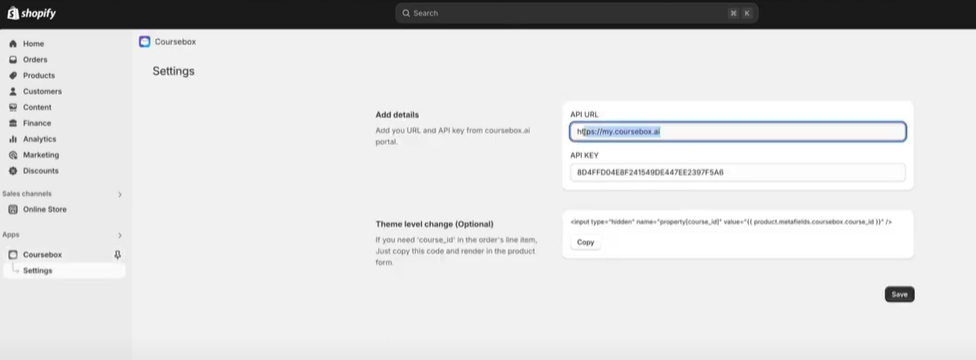
- Within the Coursebox app interface in Shopify, go to your settings. And Paste the app URL and the API Key
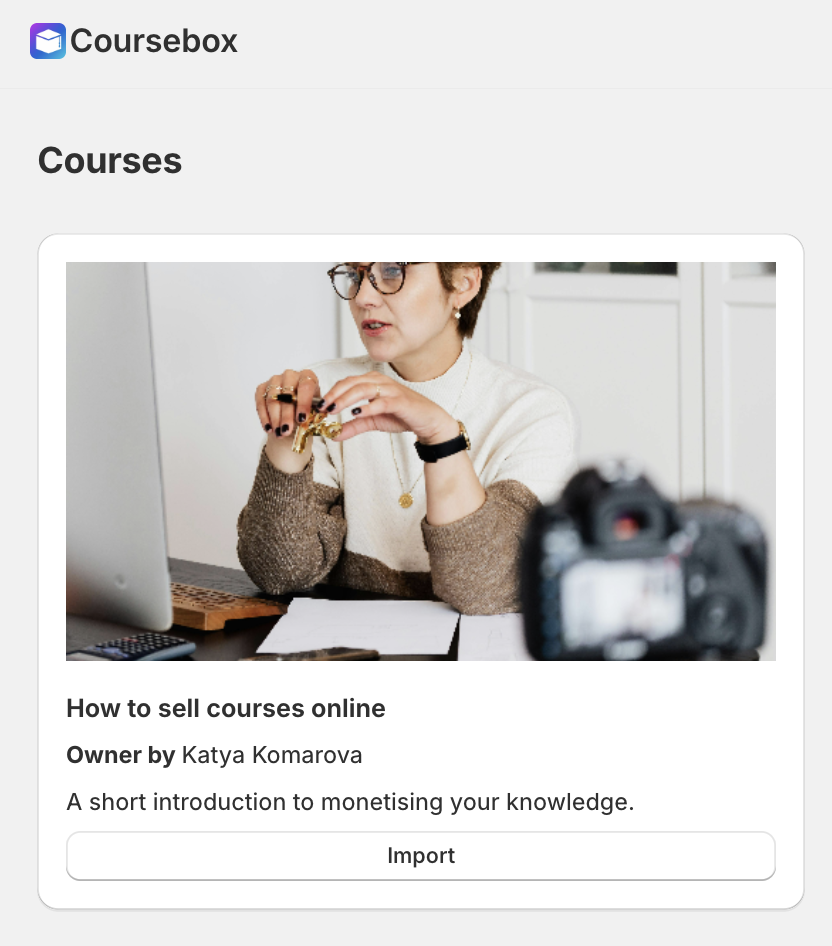
- Click Import to add these courses as products in your Shopify store.
- Each course will now appear as a product, complete with its title, description, and pricing.
- You can edit the look and feel of the product in Shopify under the product page
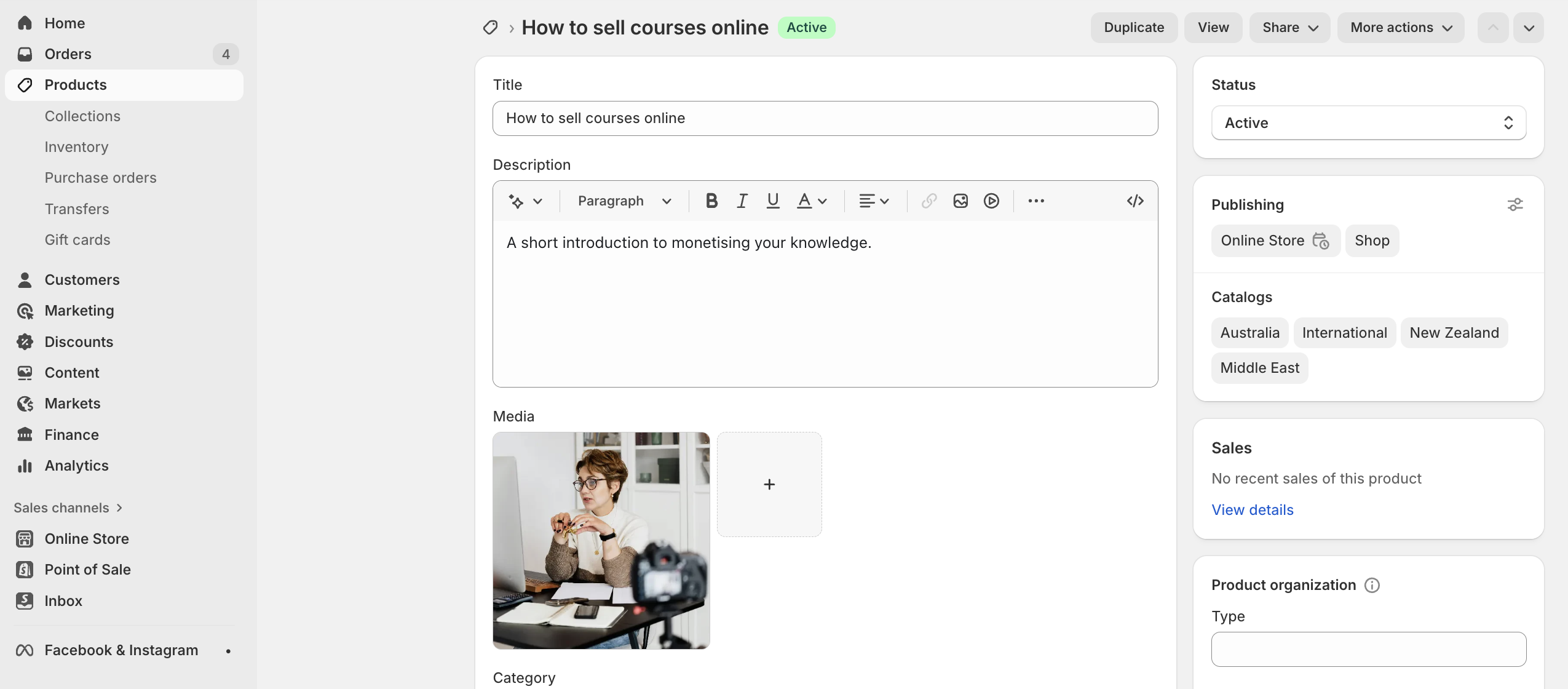
Once imported, you can sync to update changes, and preview in store
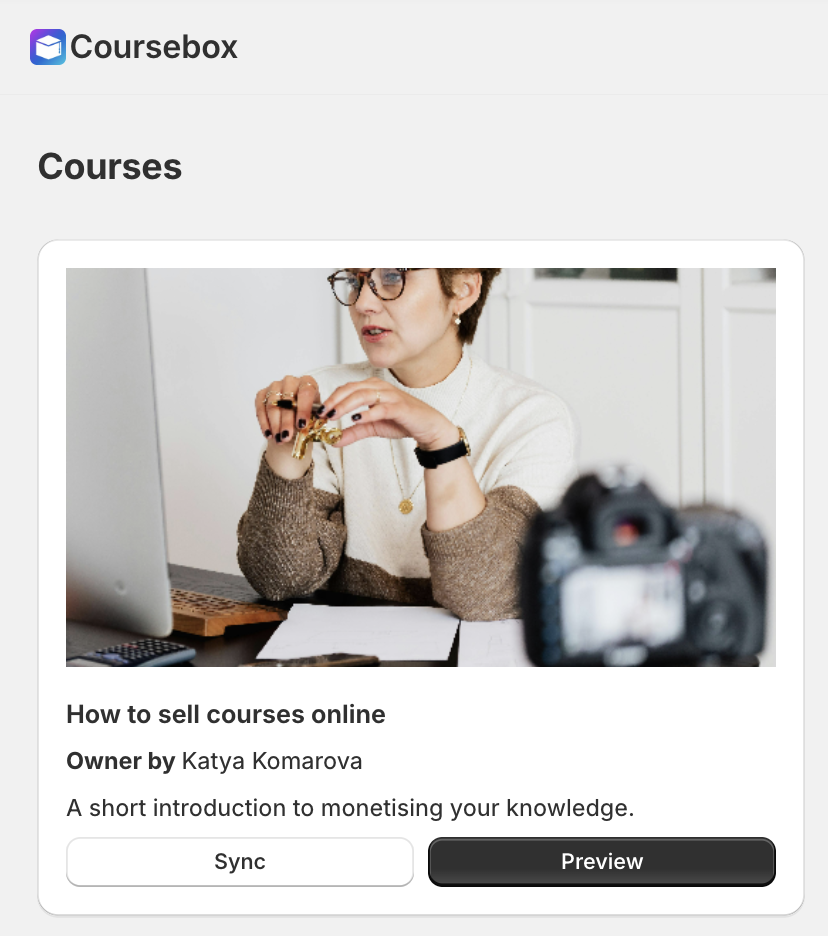
You can then preview it in store

Use Cases:
[Shopify site] Skills SSC
https://skills.ssc.edu.au/collections/all
Learner portal: https://onlinecourses.ssc.edu.au/
[Wordpress site] HITSA
Learner portal: https://learn.hitsa.com.au
[Wordpress site] ASSIST
Learner portal: https://learn.assistportal.com.au/
Academy Xi (Coursebox used as website, shop, and LMS)
https://innovate.academyxi.com/#/learning/search
Main site: https://academyxi.com/
Learner portal: https://xilearn.academyxi.com/
Watch the Tutorial Videos found in our Demonstration Video Library.
Was this article helpful?
That’s Great!
Thank you for your feedback
Sorry! We couldn't be helpful
Thank you for your feedback
Feedback sent
We appreciate your effort and will try to fix the article
