Coursebox integrates with PostHog to help you visualize key user engagement metrics and make data-driven decisions.
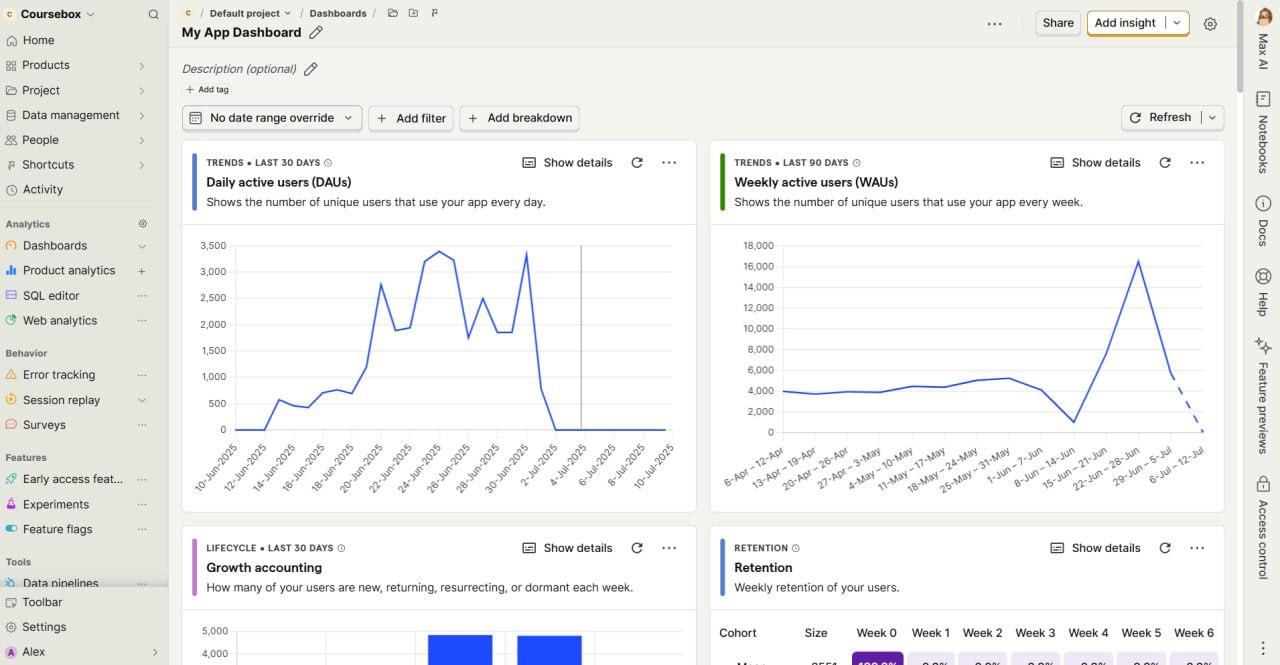
You can track:
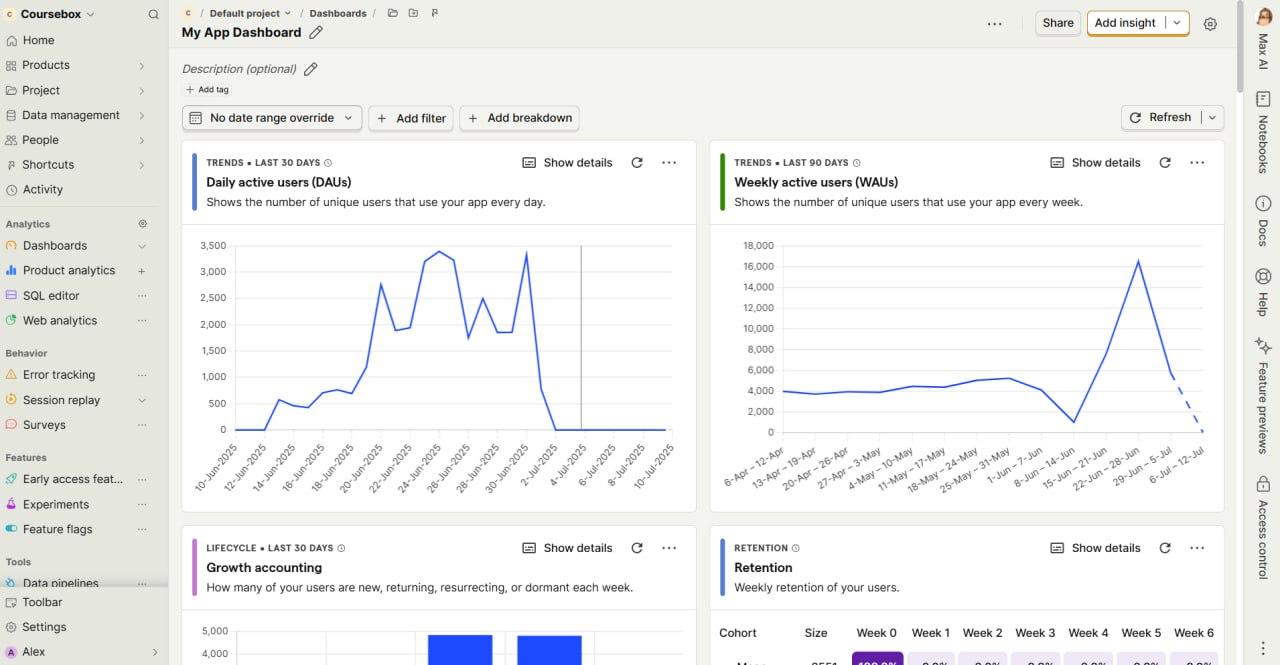
Daily Active Users (DAUs) and Weekly Active Users (WAUs)
User retention rates
Growth accounting (new, churned, and reactivated users)
Referral traffic sources
Funnel progression through courses or sales steps
Access Your Analytics Dashboards in PostHog
- Log in to your Coursebox Admin Panel.
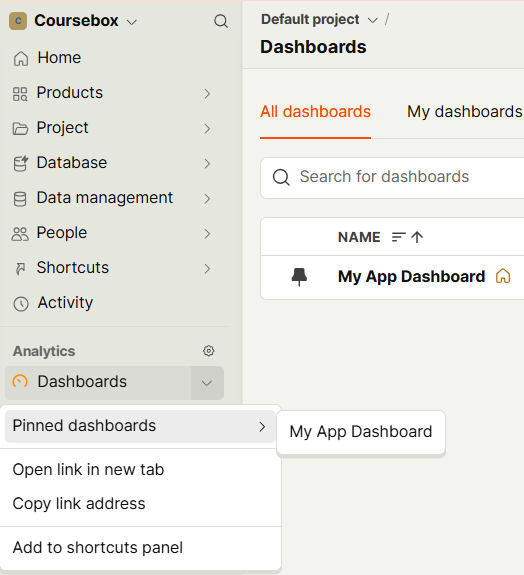
In the left-hand navigation menu, click Analytics.
Select Dashboards from the dropdown menu.
Choose the relevant dashboard for your review (e.g., Engagement Overview, Retention Trends).
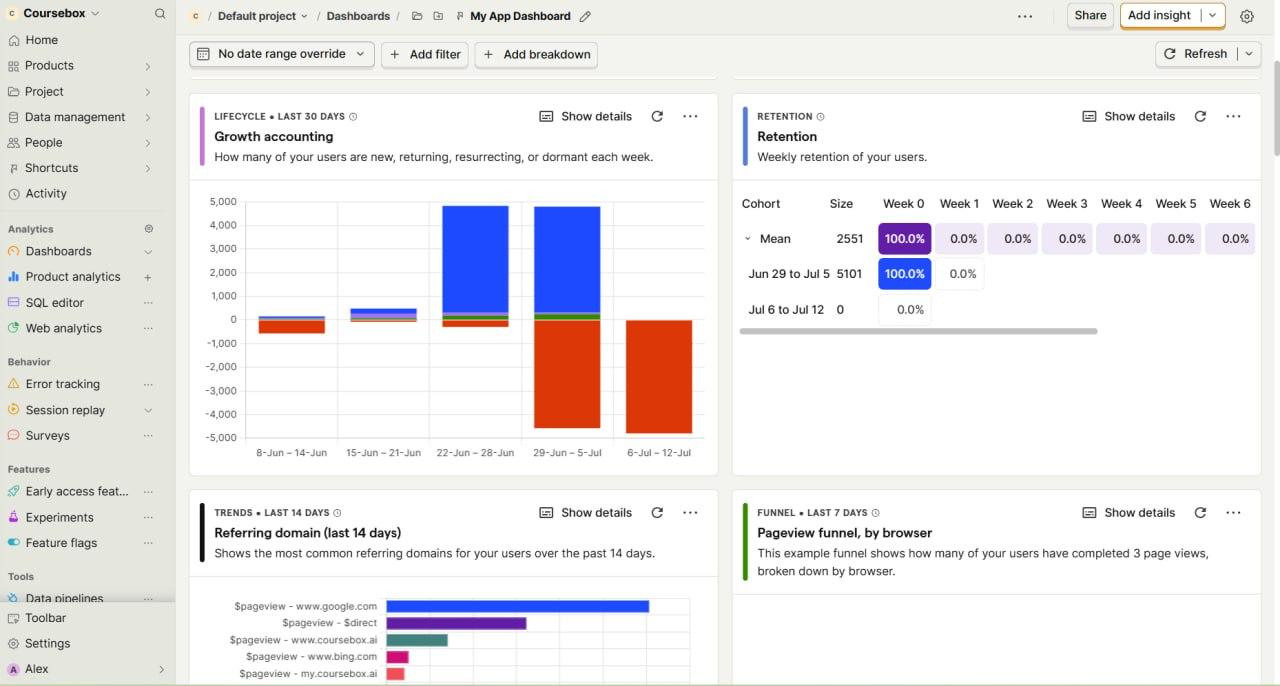
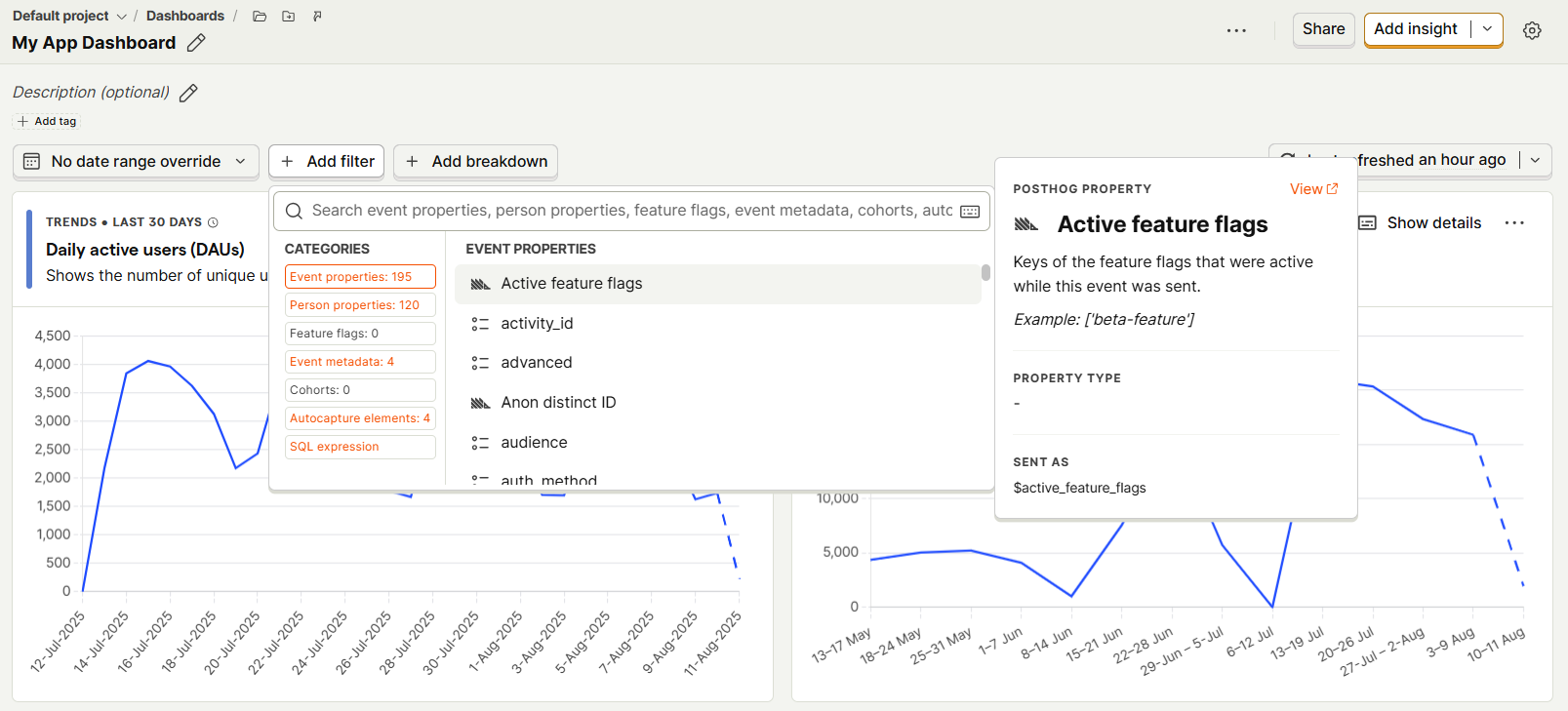
- Apply filters such as date range, user segment, or course to refine your view.
Tips for Getting the Most Out of Your Dashboard
Compare DAUs vs WAUs to detect shifts in short- vs long-term engagement.
Check retention rates monthly to identify any drops and investigate possible causes.
Monitor funnel conversion steps to see where users are dropping off.
Review referral sources to focus on high-performing marketing channels.
Was this article helpful?
That’s Great!
Thank you for your feedback
Sorry! We couldn't be helpful
Thank you for your feedback
Feedback sent
We appreciate your effort and will try to fix the article